
FocusTime - System level Lockdown
A downloadable Software for Windows
FocusTime - System level Lockdown
Instead of relying on willpower, FocusTime creates an environment where distractions are physically restricted, allowing you to stay locked into your work until your session is complete.
This project started as a personal solution during exam time — I struggled to stay focused while studying, especially with constant distractions like games and browsing.
I’m not a professional software engineer, just a student trying to solve my own real problems. Over time, I improved and fixed the major issues to make it stable and usable for others facing the same challenge.
If you’re someone who struggles with focus like I did, this tool is for you.
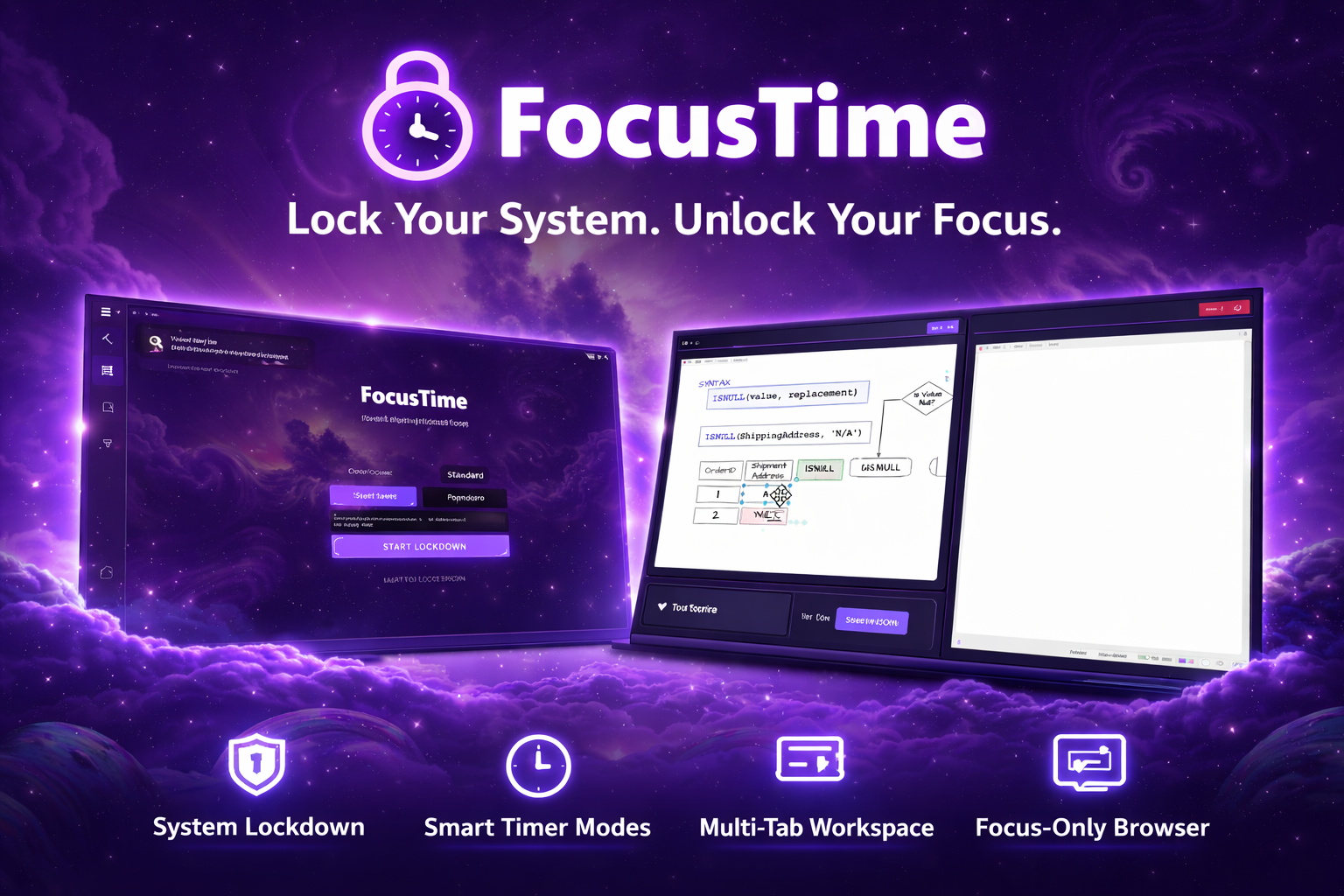
How It Works
- Set your timer
- Add your learning/work resources
- Start Lockdown
- Stay focused until session ends
Note: Windows may show a security warning because the app is not digitally signed. You can click “More info” → “Run anyway” to continue.
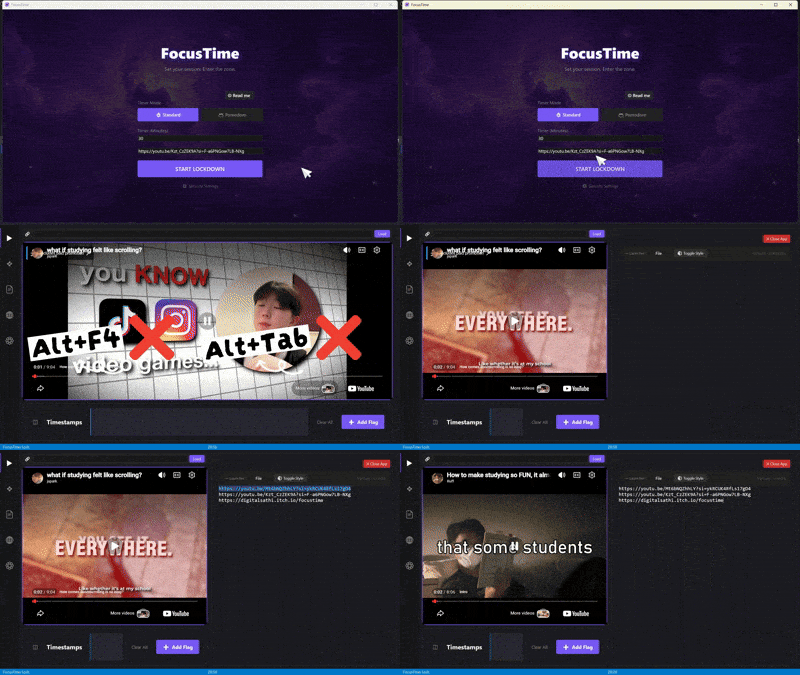
⚡ Key Features
1. System Lockdown
Start a session and your system enters focus mode:
- Blocks Alt+Tab, Windows key, and app switching
- Always-on-top workspace
- Password-protected exit with safety countdown
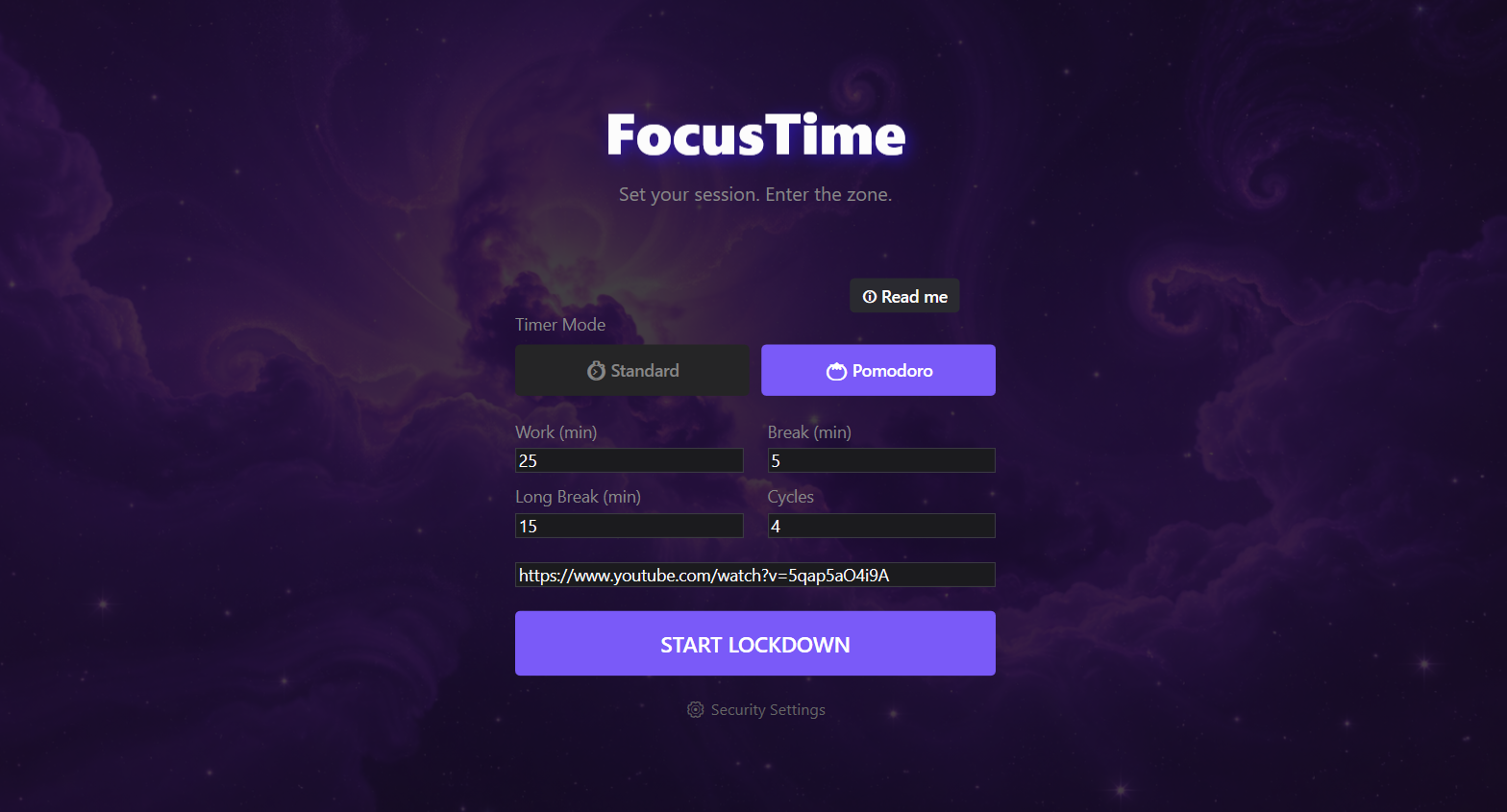
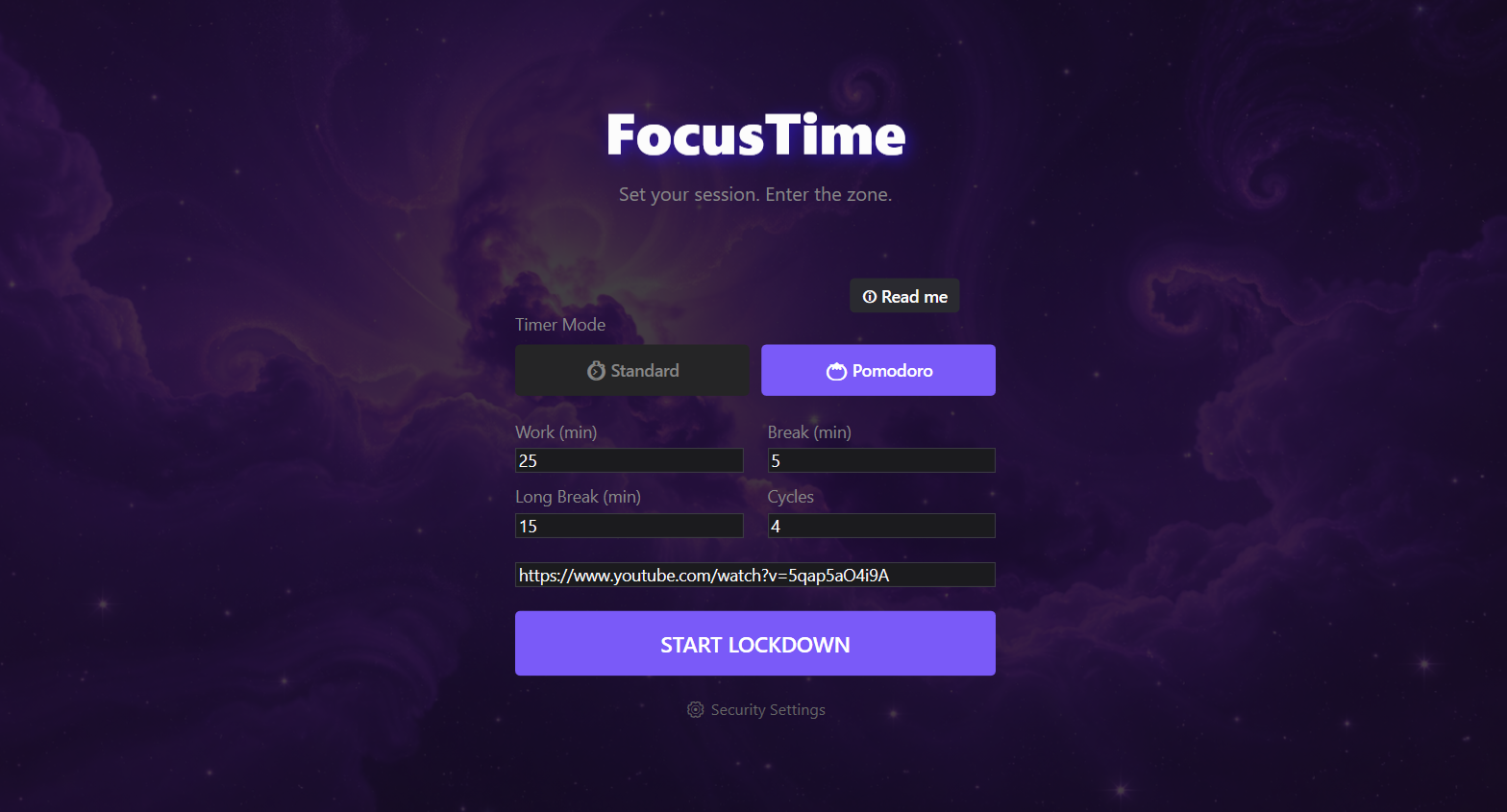
2. Smart Timer System
Control your focus sessions with:
- Standard countdown mode
- Pomodoro cycles (Work / Break / Long Break)
- Full-screen break overlays
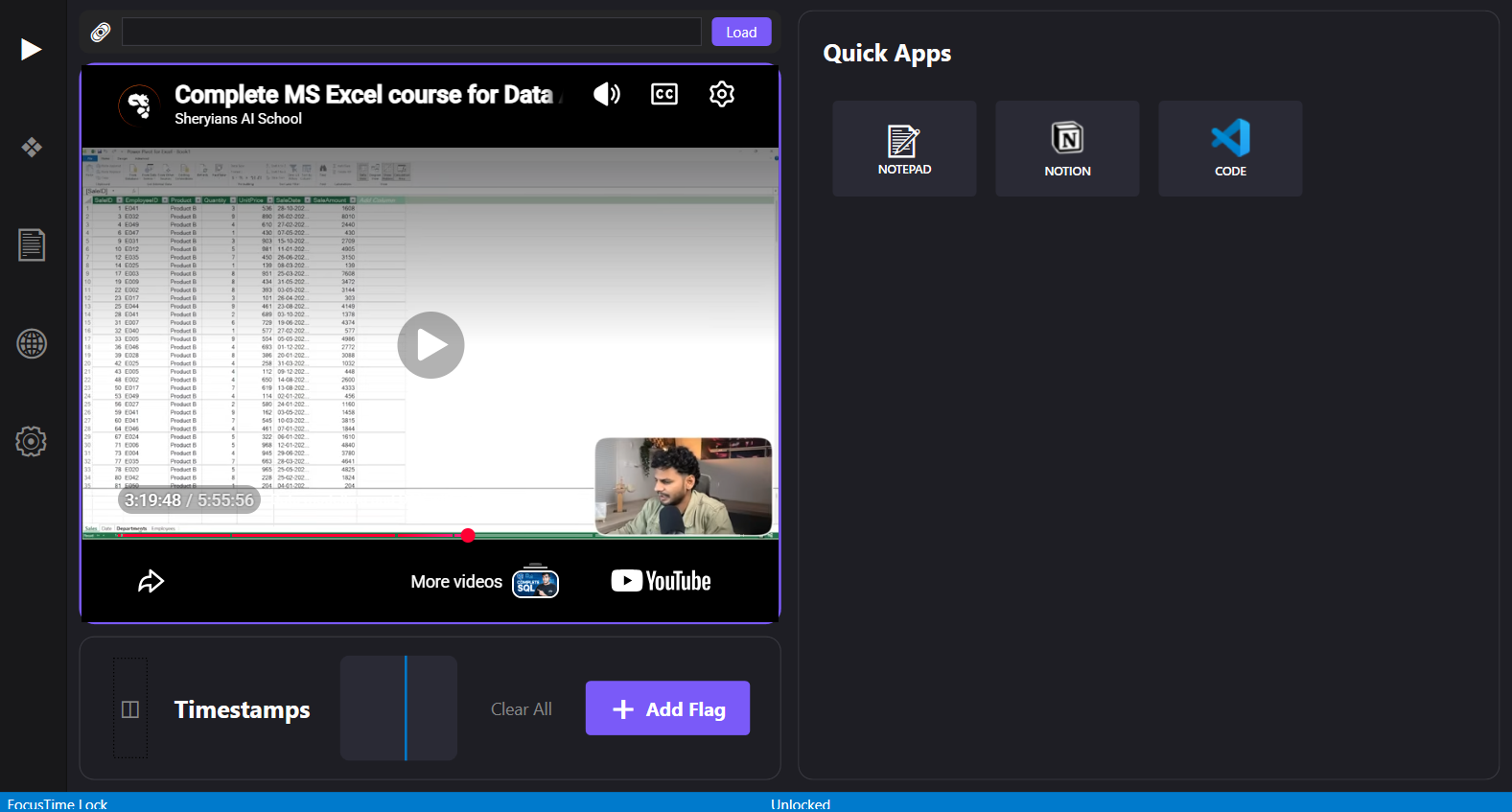
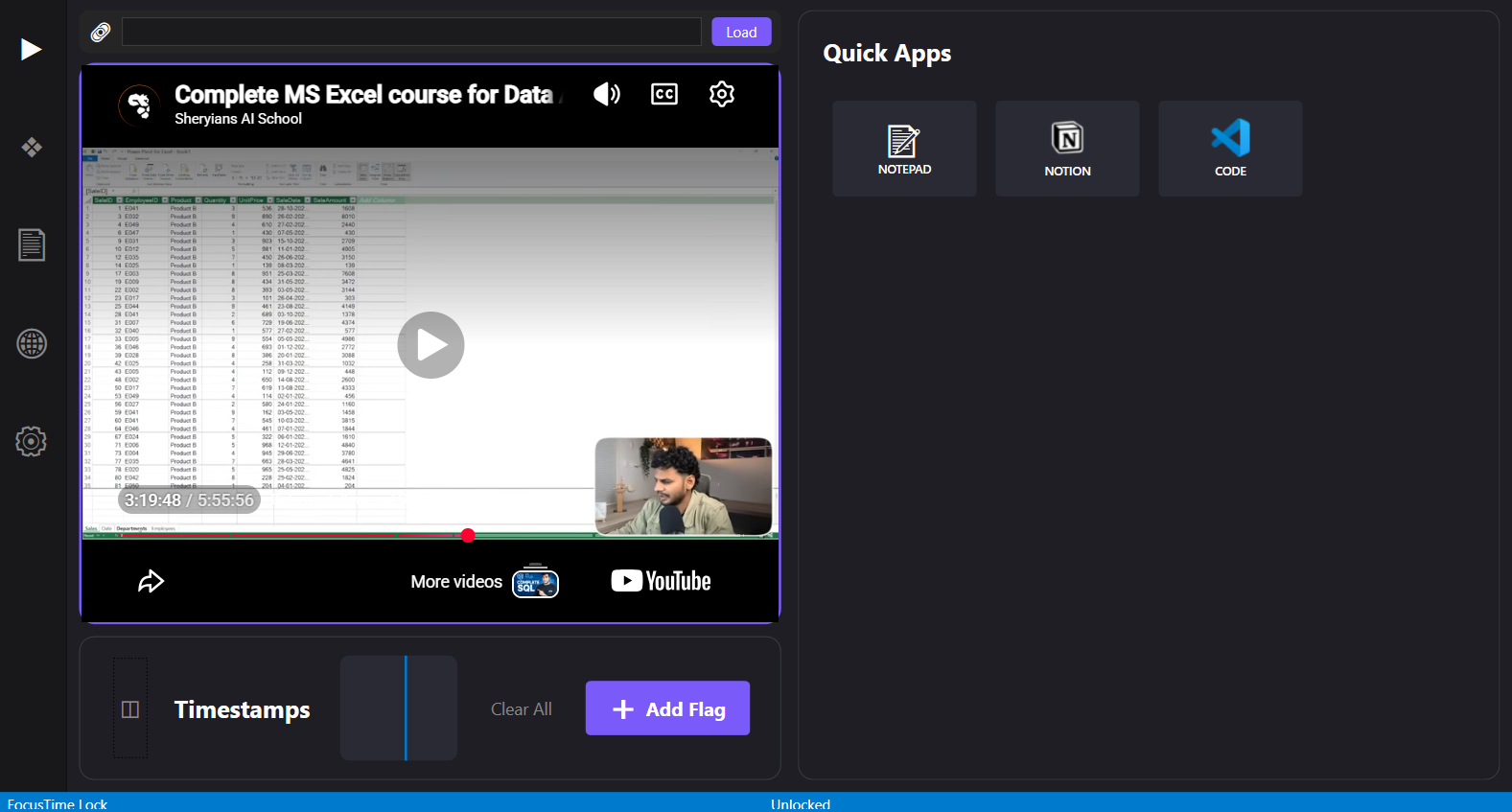
3. Learning Workspace (YouTube + Notes)
Turn passive watching into active learning:
- Paste a YouTube link and watch inside the app
- Add timestamps while learning
- Timestamp will stay safe until you change the link
- Jump back to important concepts instantly
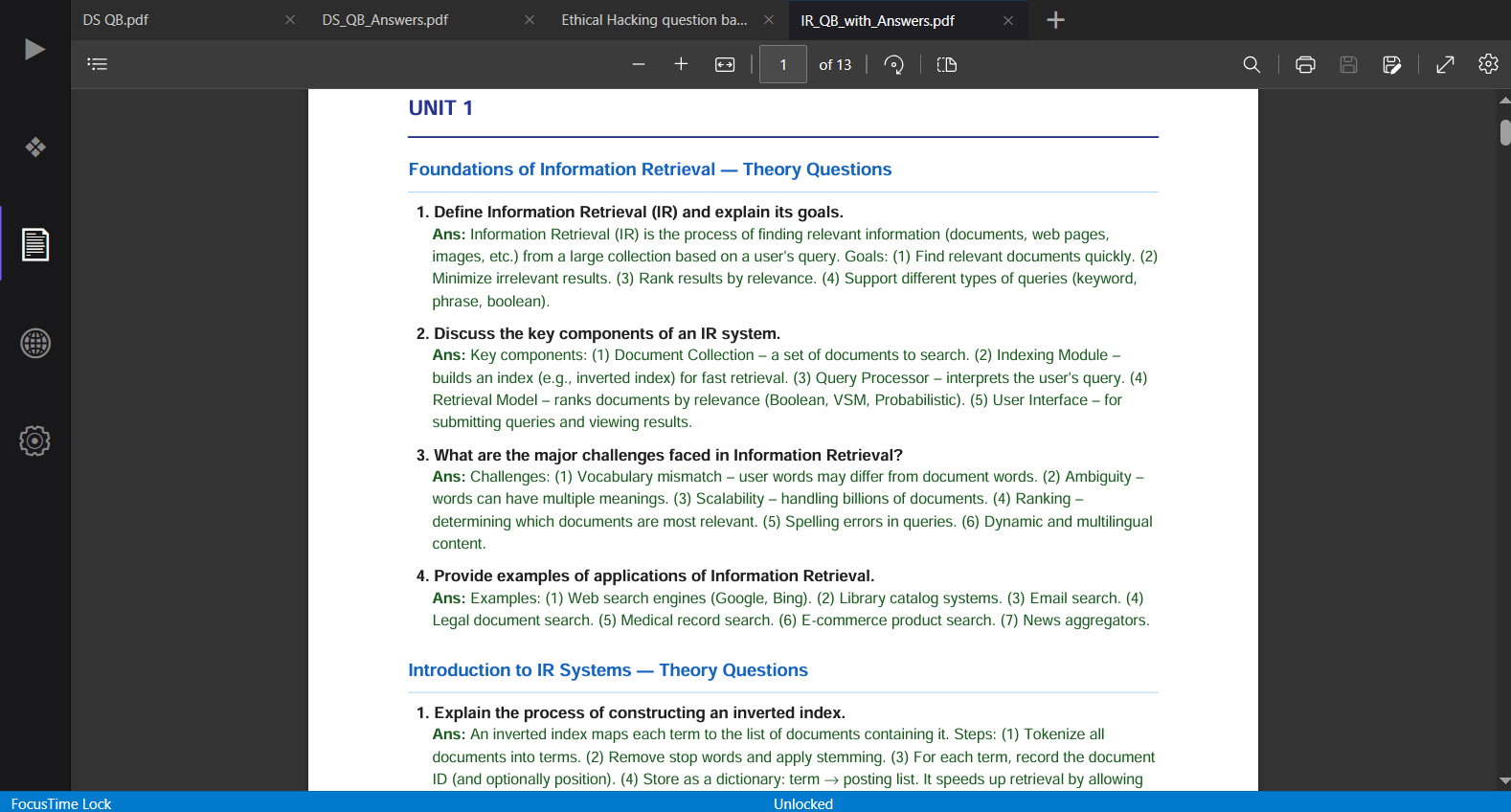
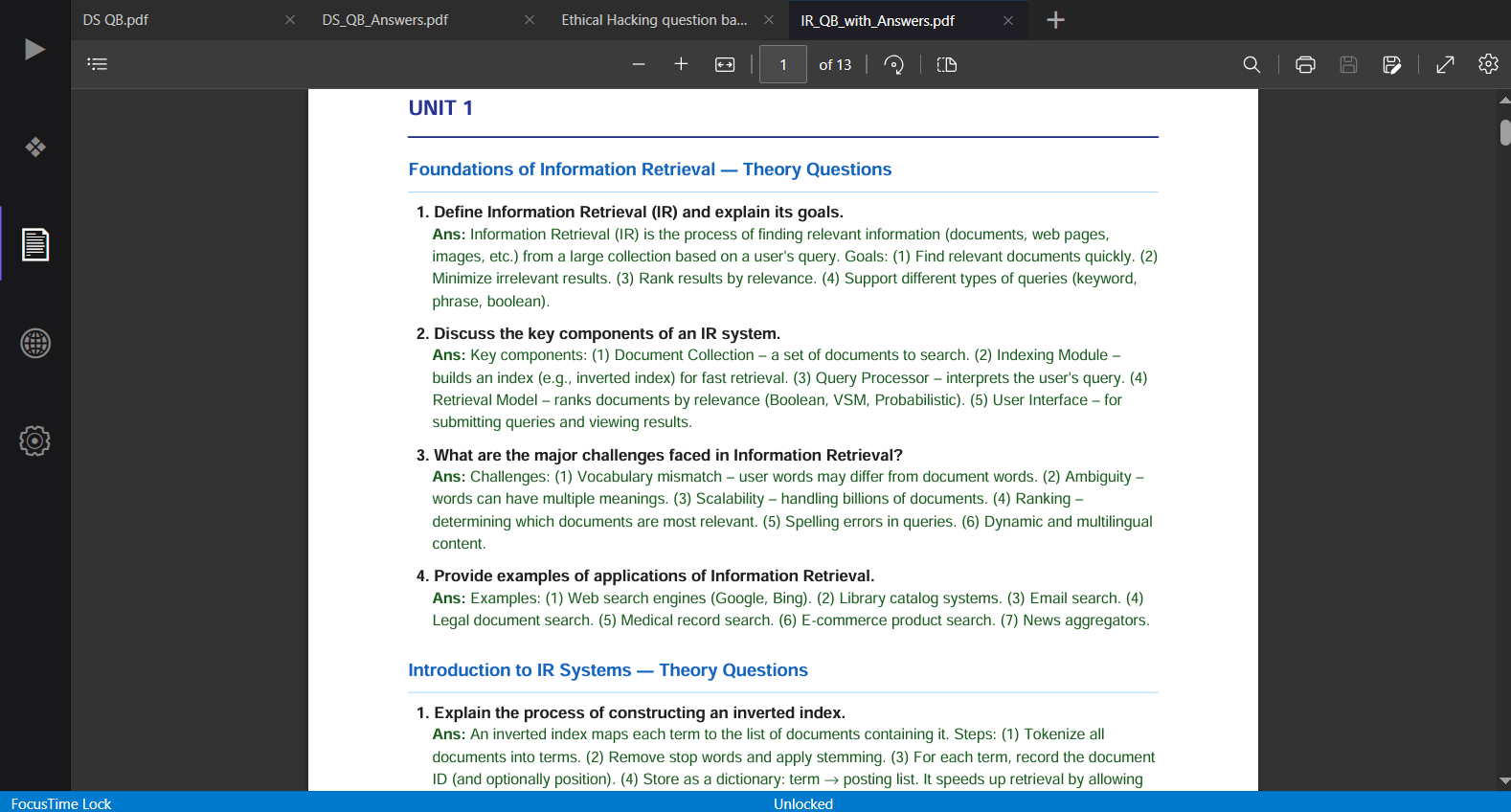
4. Multi-Tab Document Viewer
Work like you’re in a code editor:
- Open multiple PDFs or text files
- Switch between tabs instantly
- Built-in file explorer (no OS distractions)
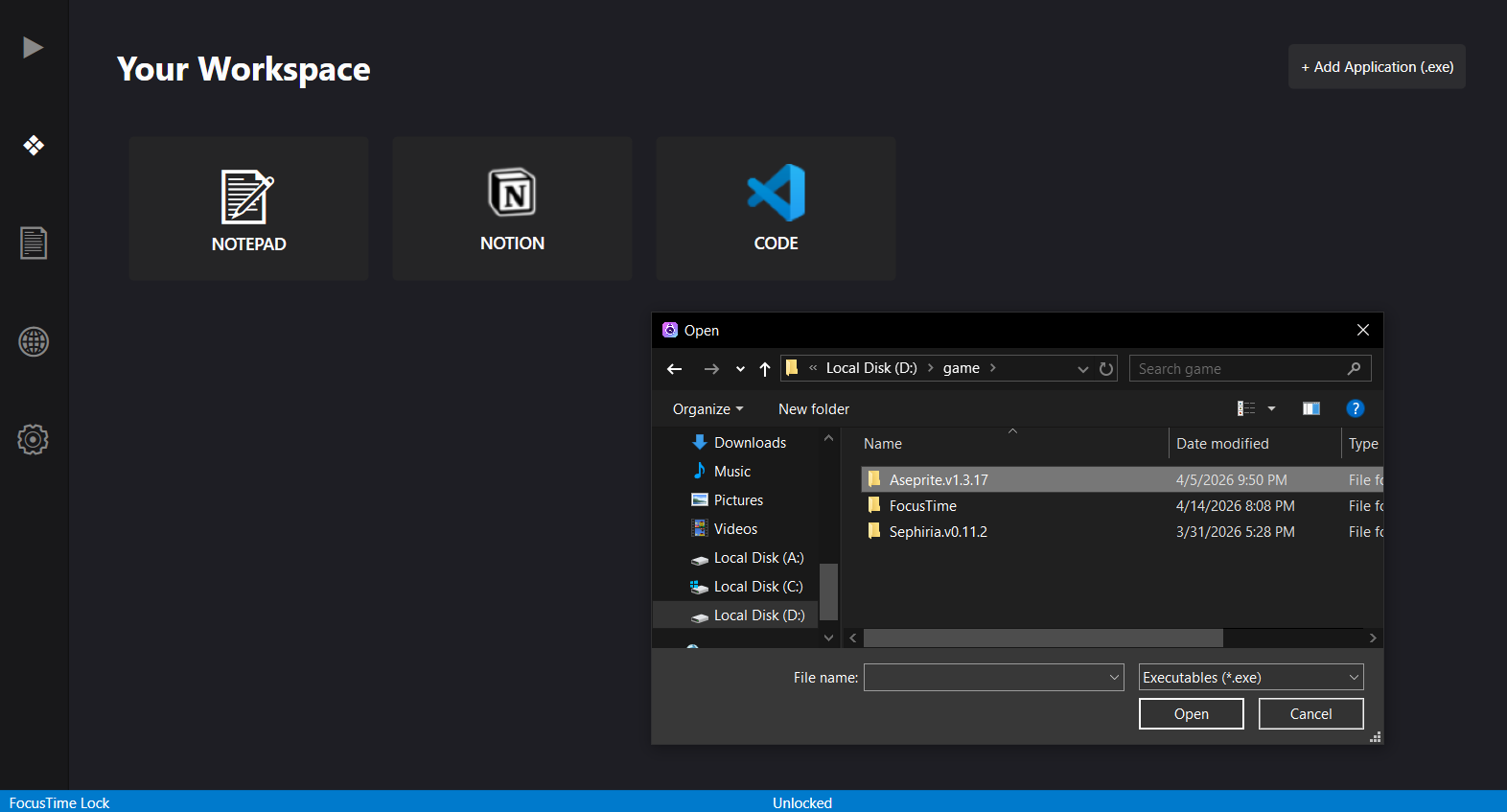
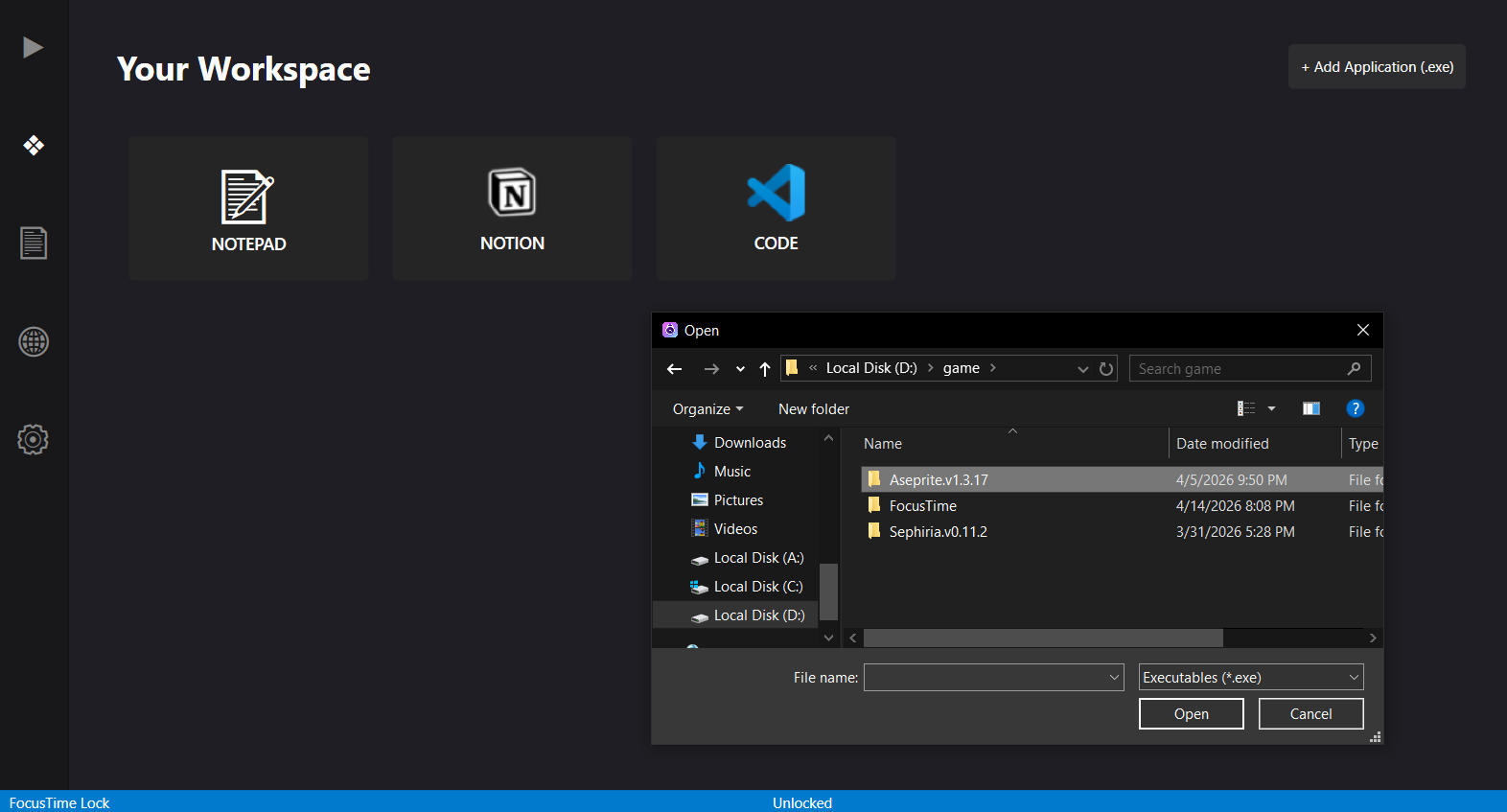
5. App Integration
- Run apps like VS Code or Aseprite inside FocusTime
- Split-screen your workflow in video page(learn + build)
- Smart handling of popups and dialogs
- Windows 11 have some issue with this App integration
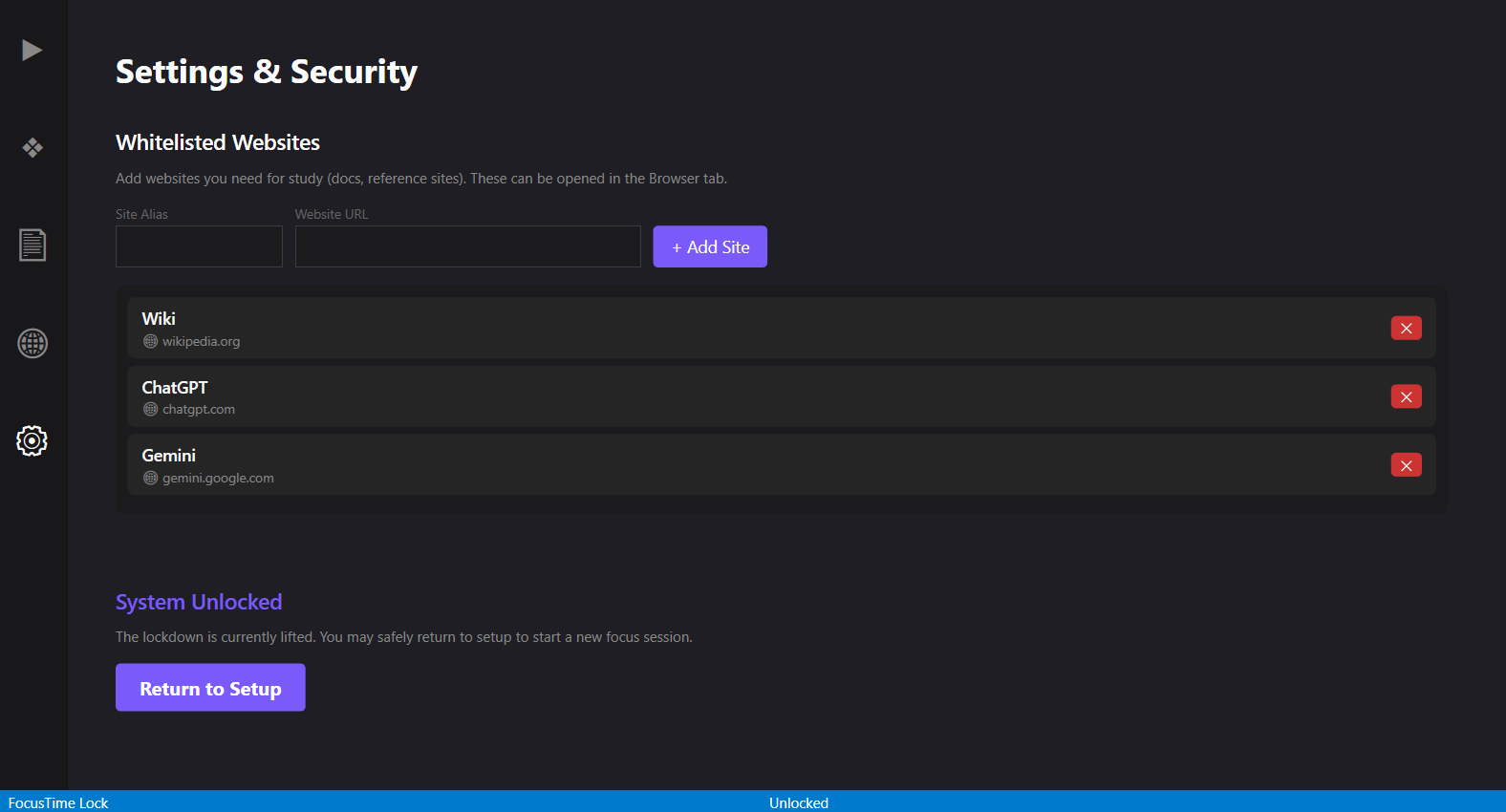
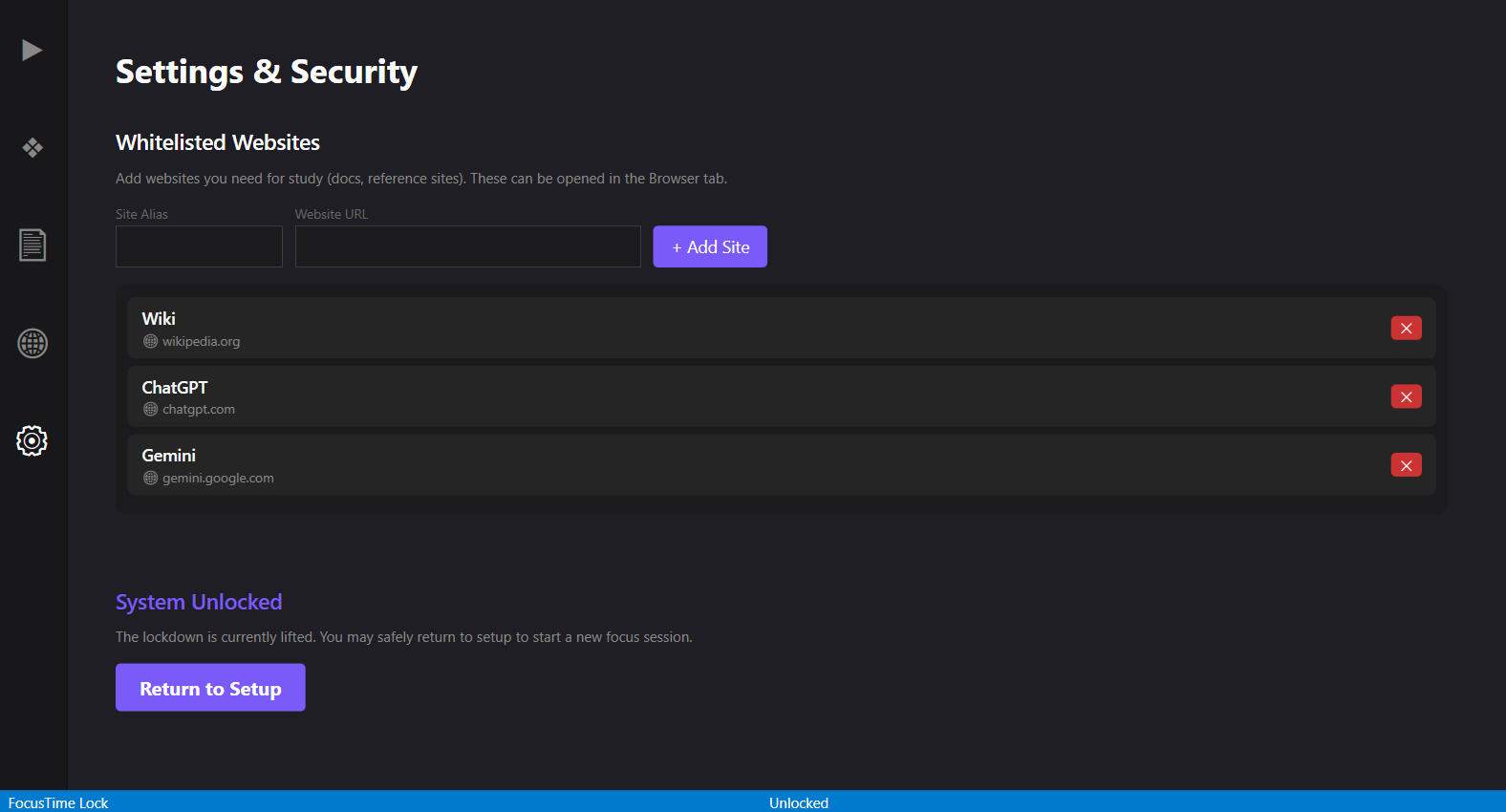
6. Focus-Only Browser
- Allow only selected websites
- Block everything else automatically
Note: Since FocusTime is an independent project and not digitally signed, Windows may display a security warning during installation.
This is expected — you can proceed by clicking “More info” → “Run anyway.”
Download
Install instructions
Note: Since FocusTime is an independent project and not digitally signed, Windows may display a security warning during installation.
This is expected — you can proceed by clicking “More info” → “Run anyway.”
Development log
- FocusTime is Live (First Public Release)Apr 30, 2026
Comments
Log in with itch.io to leave a comment.
Hey! I built this to solve my own focus problems during exams, and this is the first version I’m sharing publicly.
If you try it, let me know how it works for you — especially if something feels confusing or breaks.
Your feedback will directly help improve it 🙌